 Educates
Clickable actionsAuthoring
Steps that run when you click them
A clickable action is a block in the workshop instructions that does the step when clicked. It runs a command in the right terminal, opens or changes a file in the editor, switches a dashboard tab, downloads a file or runs a check. Nobody mistypes a command or edits the wrong line, so the people taking the workshop spend their time on what it teaches, not on typing.
What you can do with it
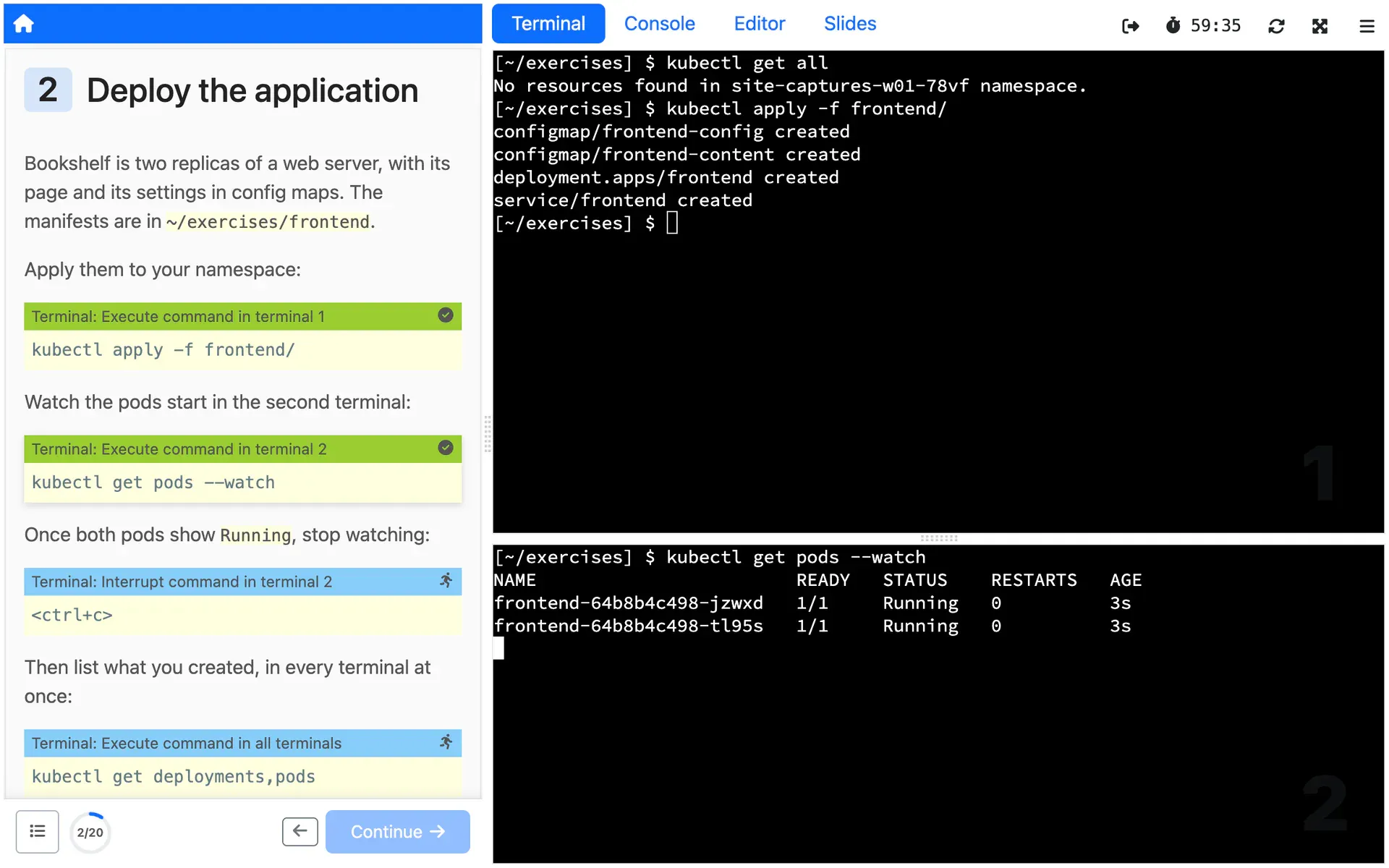
Run commands in the right terminal
Run a command in the first terminal, another one, or all of them, clearing the terminal first if you like. Interrupt a command that never returns, or send input, such as a password, to one that is waiting for it.
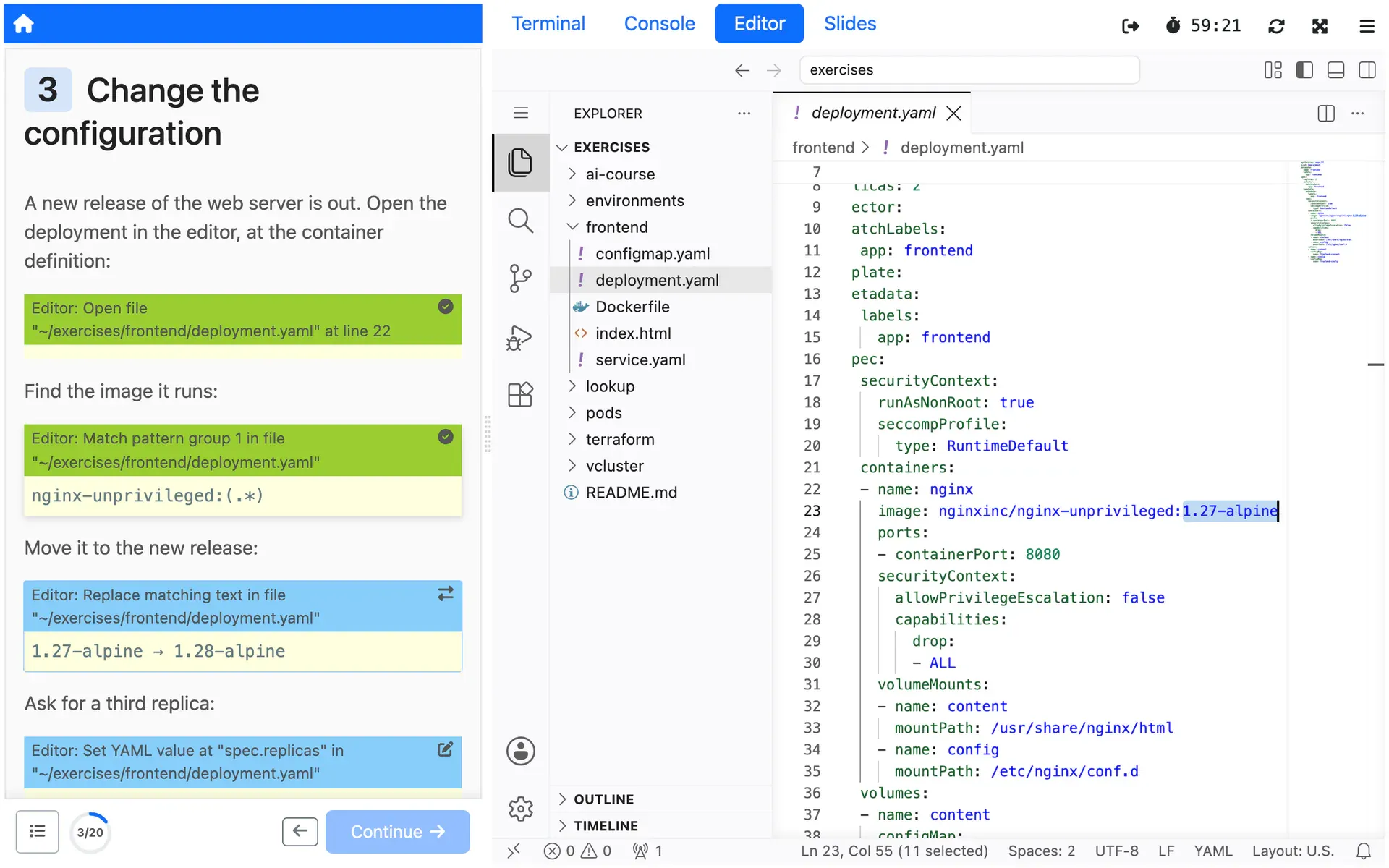
Open and change files in the editor
Open a file at a line, select text by an exact match or a regular expression and replace it, insert lines, or create a file. YAML files change by path, such as spec.replicas, and a click can run a VS Code command.
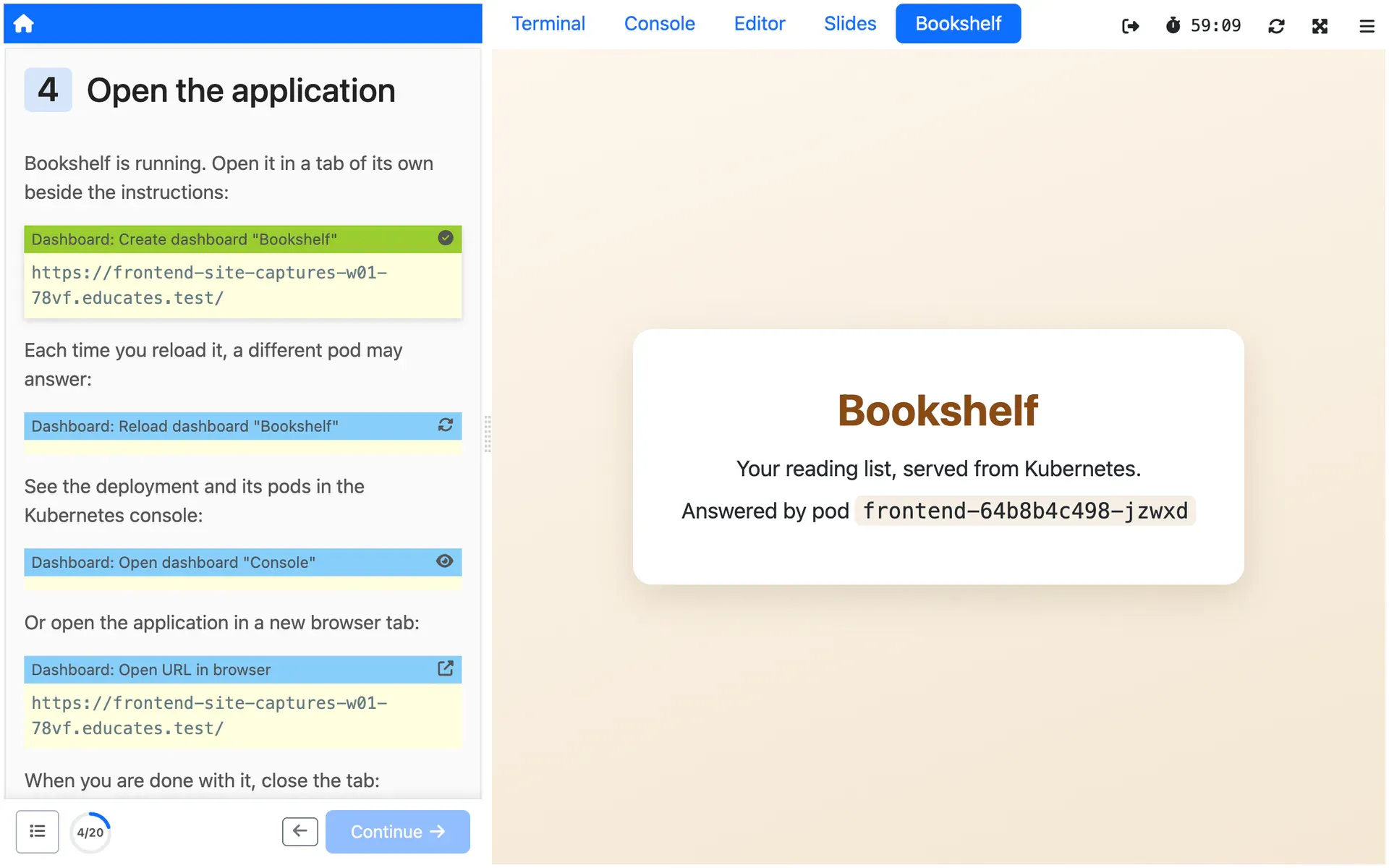
Drive the dashboard
Open a URL in a new browser tab, bring a dashboard tab to the front, or create, reload and delete tabs, for example one showing the application the step just deployed.
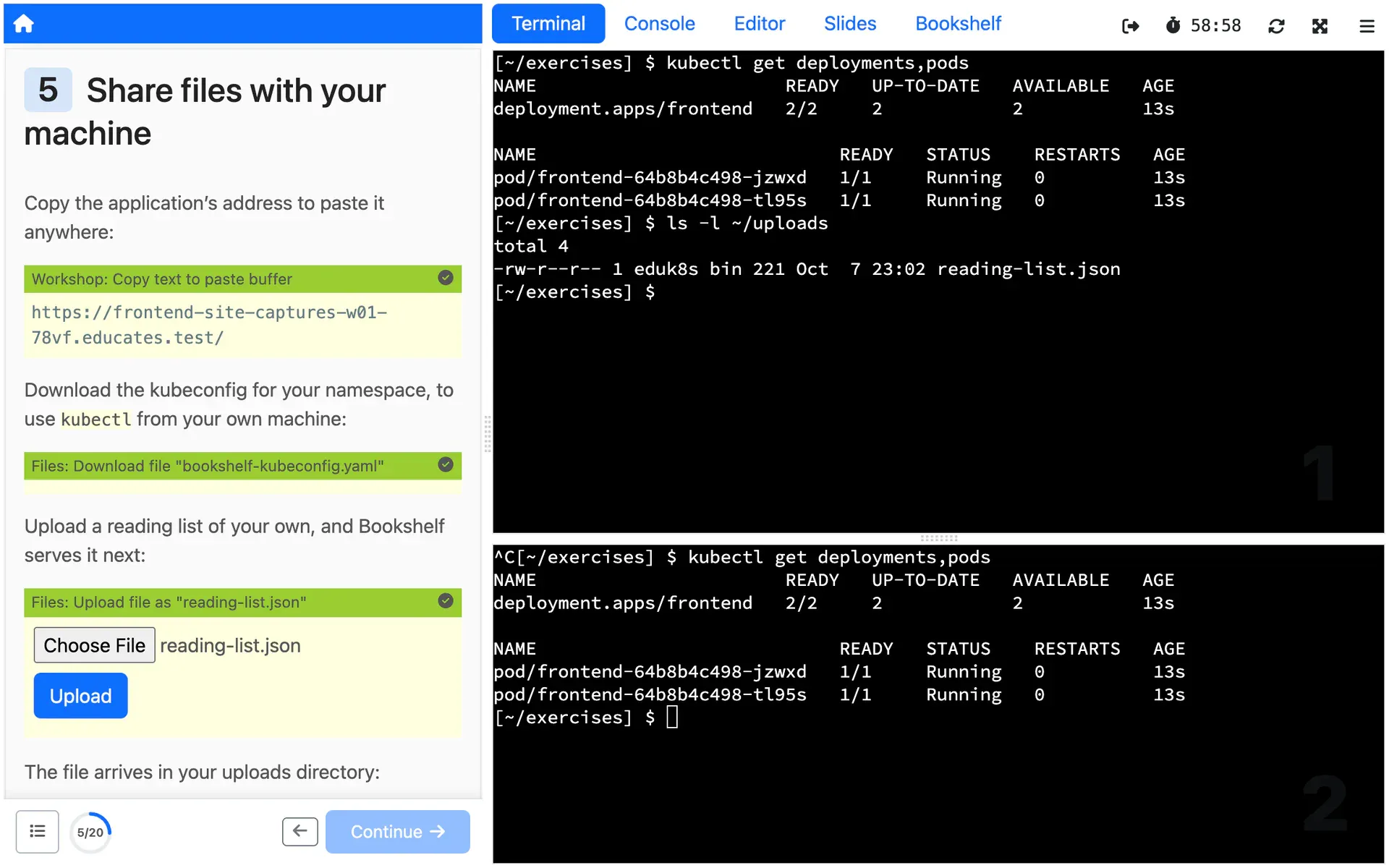
Copy, download and upload files
Copy text to the clipboard, download a file from the Session, such as its kubeconfig, or upload a file into it.
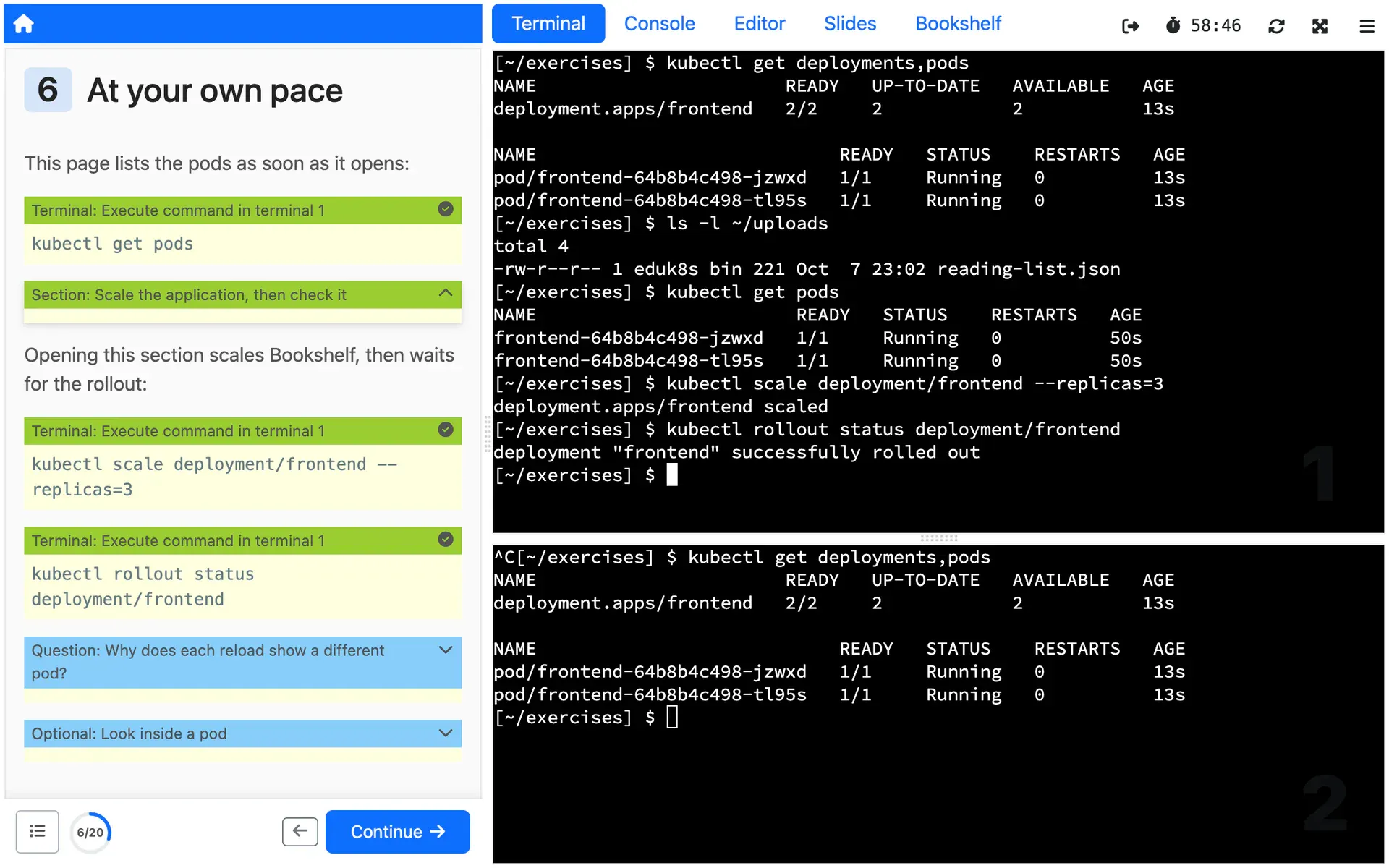
Pace the page
Hide optional steps or questions in sections that open with a click, start an action as soon as the page loads, and have each action trigger the next one when it succeeds.
How you use it
A clickable action is a fenced code block in a page of the workshop instructions. The fence names the action, and the block's body is YAML. This one clears the first terminal and runs a command in it:
```terminal:executecommand: echo "Execute command."clear: true```Actions for the editor need the editor, which is off until the workshop definition turns it on:
spec: session: applications: editor: enabled: trueThen one block finds text in a file and replaces it, with nothing for anyone to select and paste wrong:
```editor:replace-matching-textfile: ~/exercises/sample.txtmatch: "nginx:1.19"replacement: "nginx:1.21"```Any action written in YAML can also start on its own when the page loads
(autostart), trigger the next action when it succeeds (cascade), stay out
of sight (hidden) and send an analytics event when clicked (event). The
workshop instructions docs
list every action and its fields.
Limits
What it does not do, and what it needs from you, so you can judge it before you build on it.
Editor and file actions need those Features on
Editor actions work only when the workshop turns on the editor, which is off by default. Download and upload actions need downloads or uploads turned on in the same way.
What the docs say: Editor and file actions need those Features on (external site)
A cooldown, not a lock
After a click, the same action is blocked for 3 seconds, to stop double clicks. You can make that longer, or block a second click for good, but reloading the page resets it. It keeps a step from running twice by accident; it does not stop anyone set on running it again.
Built-in tabs stay put
Dashboard actions cannot delete the built-in tabs, such as the terminals, console, editor and slides, and cannot point a tab that holds a terminal at a new URL.
Action events are yours to collect
An action can send an event to the training portal's analytics webhook when it is clicked. Nothing collects those events for you; the service that receives and stores them is yours to build.
What the docs say: Action events are yours to collect (external site)
Where it is used
Use cases that rely on it
- Hands-on events
Every Attendee in a working environment before you start talking, and nothing to clean up after.
Deploy it from the Hub
The Hub is a catalog of workshops you deploy on your own Educates, each with one command. These ones show this Feature at work.
Read more
Try it yourself, or talk to us
Get started runs Educates on your laptop with a first workshop in a few commands. Get help is where you ask the community, and where you can hire the people who build Educates.