 Educates
Lookup service and Portal REST APIDelivering
Start Sessions from your own site, on one portal or many clusters
Every training portal has a REST API, so a site of yours can list its workshops and start Sessions behind whatever sign-in you choose. The lookup service puts one API in front of many portals on one or more clusters. Your site asks it for a Session, it sends the request to a portal with room, and you add capacity by adding a cluster, not by growing the one you have.
What you can do with it
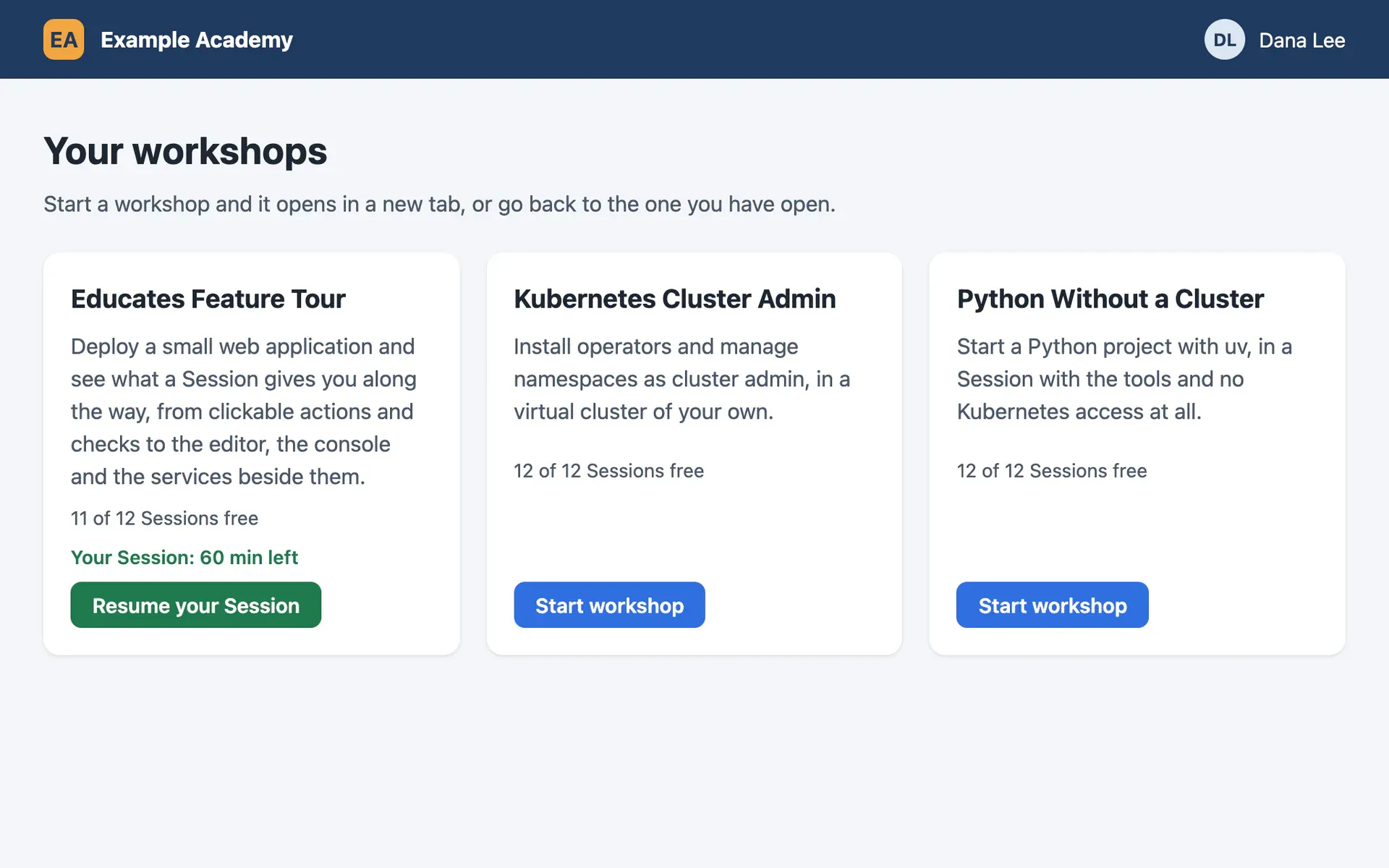
Your own front end on one portal
Each training portal comes with a robot account for its REST API. Your site logs in with it, lists the portal's workshops, asks for a Session for the person signed in, and sends their browser to the URL that comes back. Turn off the portal's own registration, as the docs recommend, so people come in through your site.
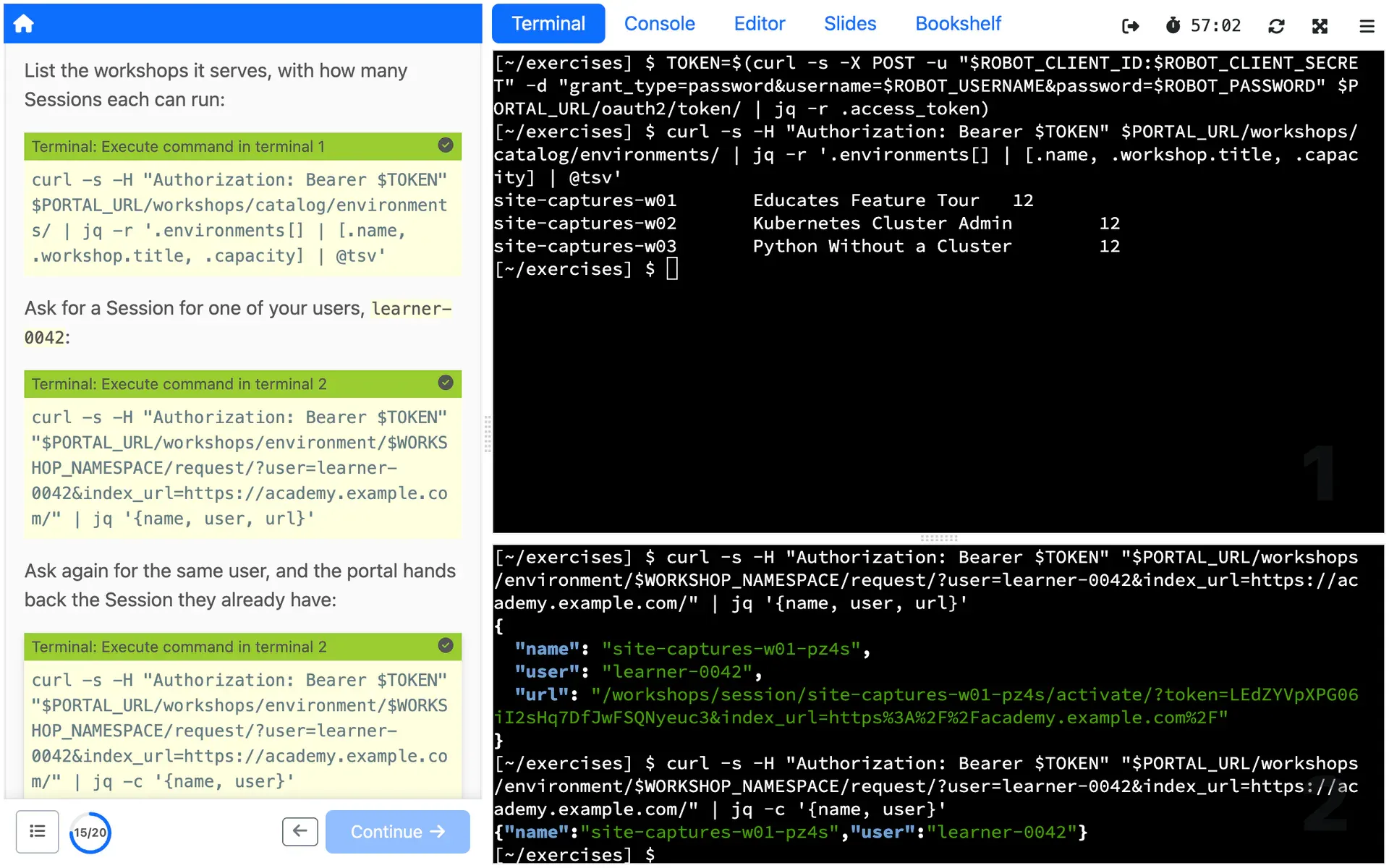
People get their own Session back
Pass your own ID for each person with every request. Someone who closes the tab and clicks again gets the Session they already have, not a second one. A portal's API also lists a person's Sessions, extends one close to expiring where the workshop allows it, and ends one early.
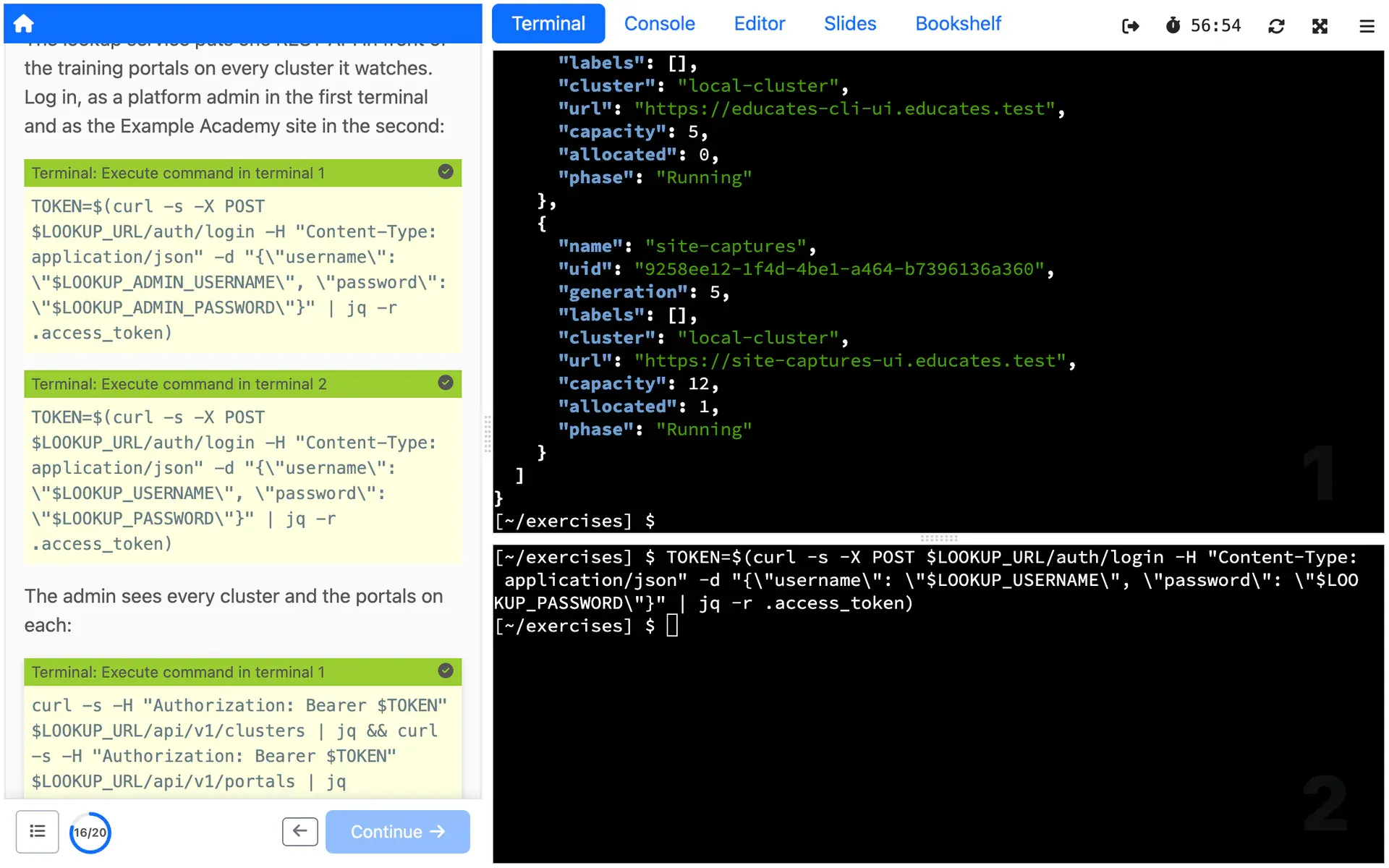
One API in front of many clusters
Register clusters with the lookup service, the one it runs on or remote ones, and it watches the training portals on each. A request for a Session goes to the portal with the most room, so the same workshop on several clusters shares the load, and an admin client sees every cluster, portal and Session from one place.
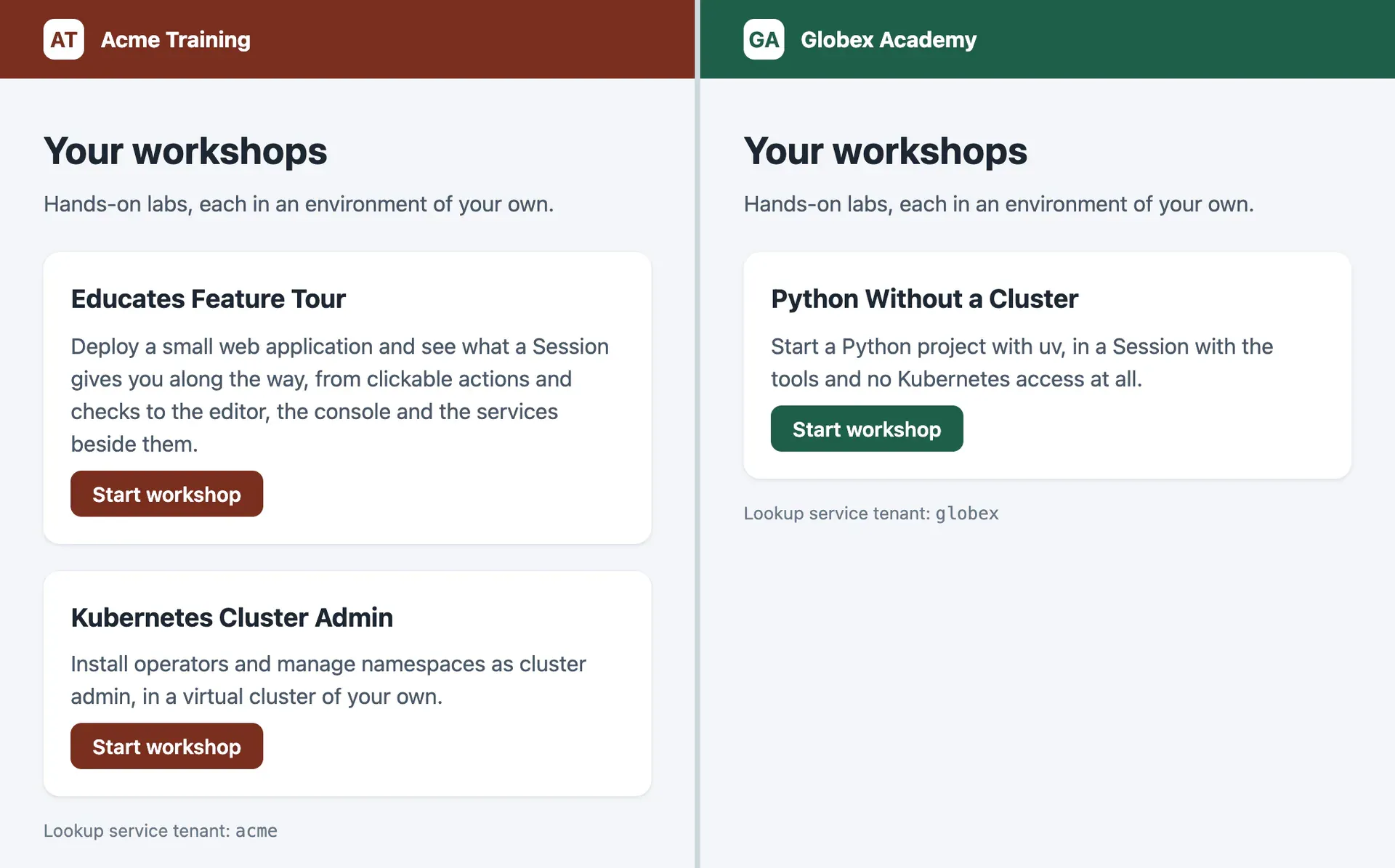
A tenant for each customer
Tenants pick clusters and portals by name or by label, and each client of the API reaches only the tenants it is granted. One lookup service can keep customers apart, or production apart from staging.
Set up each Session as it starts
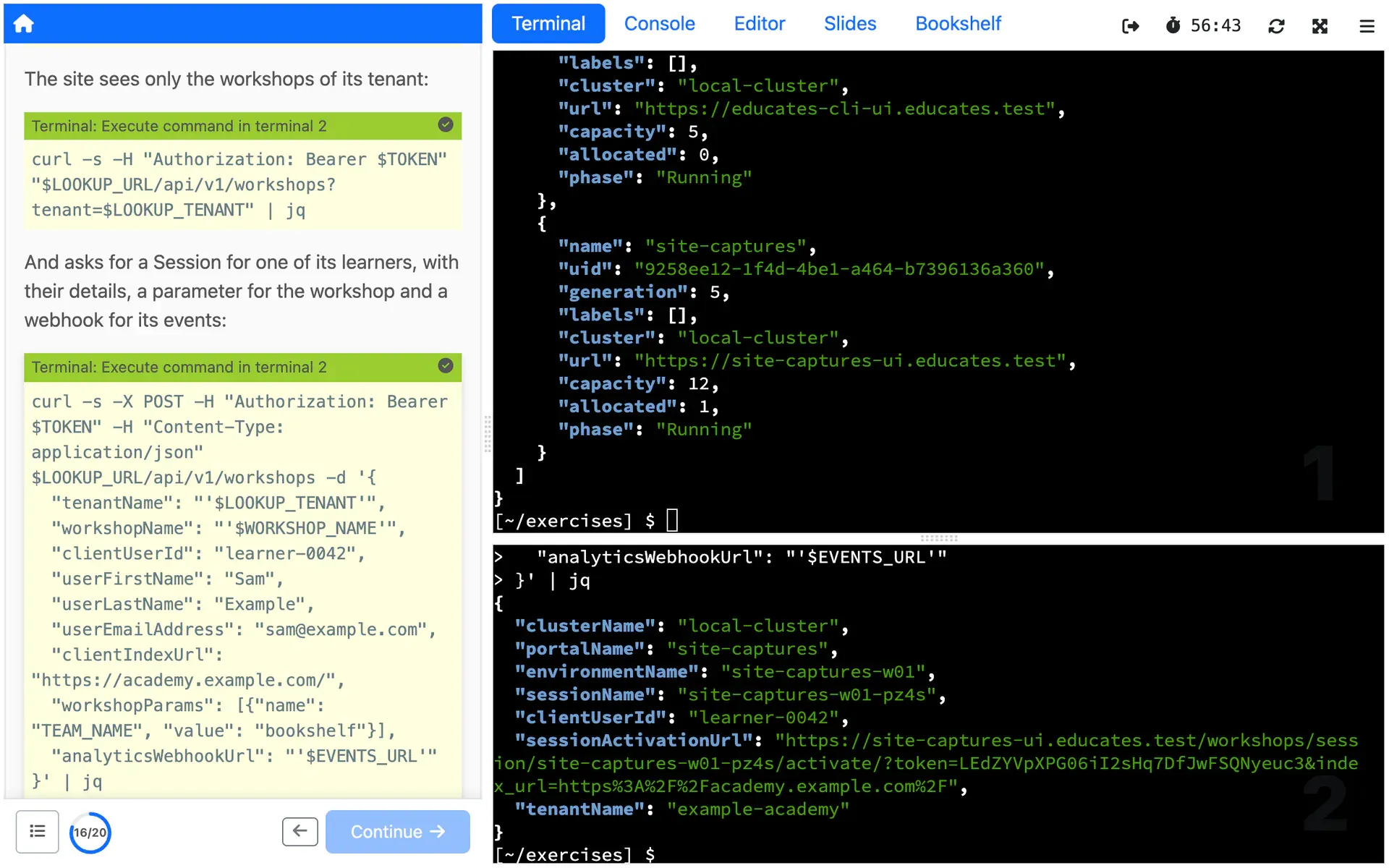
With each request, pass the parameters the workshop declares, the person's name and email address, the page to send them back to when the Session ends, and a webhook to receive that Session's analytics events.
How you use it
From one training portal
Every training portal has a robot account for its REST API, with its credentials in the portal's status. Your site logs in with them for an access token:
curl -v -X POST -d "grant_type=password&username=robot@educates&password=<robot-password>" -u "<robot-client-id>:<robot-client-secret>" https://lab-markdown-sample-ui.test/oauth2/token/Then it asks for a Session of a workshop environment, with the page to send the person back to when the Session ends:
curl -H "Authorization: Bearer <access-token>" https://lab-markdown-sample-ui.test/workshops/environment/<name>/request/?index_url=https://hub.test/The response names the Session, gives an ID for the person, and holds the
url on the portal to send their browser to. Pass that ID as user on the
next request, and the person gets the Session of that workshop they already
have.
From many, through the lookup service
The lookup service is off until the configuration you install Educates with turns it on:
lookupService: enabled: trueIt then needs a cluster to watch, a tenant, and a client, as resources in the
educates-config namespace. Here the cluster is the one the lookup service
runs on, the tenant reaches one portal on it, and the client can request
Sessions through that tenant:
apiVersion: lookup.educates.dev/v1beta1kind: ClusterConfigmetadata: name: local-cluster namespace: educates-config---apiVersion: lookup.educates.dev/v1beta1kind: TenantConfigmetadata: name: tenant-1 namespace: educates-configspec: clusters: nameSelector: matchNames: - local-cluster portals: nameSelector: matchNames: - portal-1---apiVersion: lookup.educates.dev/v1beta1kind: ClientConfigmetadata: name: custom-portal namespace: educates-configspec: client: password: my-secret roles: - tenant tenants: - tenant-1Your site logs in as that client and asks for a Session, passing its own ID for the person:
ACCESS_TOKEN=$(curl --silent -X POST \  http://educates-api.<ingress-domain>/auth/login \  -H "Content-Type: application/json" \  -d '{"username": "custom-portal", "password": "my-secret"}' \  | jq -r -e .access_token)
curl -X POST -H "Authorization: Bearer ${ACCESS_TOKEN}" \  -H "Content-Type: application/json" \  -d '{    "tenantName": "tenant-1",    "workshopName": "lab-k8s-fundamentals",    "clientIndexUrl": "https://portal.example.com/",    "clientUserId": "user-12345"  }' \  http://educates-api.<ingress-domain>/api/v1/workshops
The response's sessionActivationUrl is where the person's browser goes. The
lookup service docs
cover remote clusters, tenants chosen by label, and the admin API.
Limits
What it does not do, and what it needs from you, so you can judge it before you build on it.
Your site, your sign-in
Neither API is a front end or a sign-in service. The catalog people browse, how they sign in, and the ID you pass for each person are yours to build.
Sixty seconds to open a Session
The URL that comes back carries a token that lasts 60 seconds. If the browser does not reach it in time, the Session is deleted and your site asks for another, so send people straight there. On a portal's API, the request can set a different timeout.
What the docs say: Sixty seconds to open a Session (external site)
Tokens expire, and not only on schedule
A lookup service token lasts 72 hours today, and the docs say not to count on it. Restarting the lookup service or recreating a client ends tokens too, so your site logs in again whenever a call returns 401. A portal's token expires as well, and a site that runs for long refreshes it.
What the docs say: Tokens expire, and not only on schedule (external site)
The lookup service is yours to set up
It is an optional part of Educates, turned on when you install it. Before it serves a request it needs a cluster, a tenant and a client, each a resource in the educates-config namespace. For a remote cluster it needs a kubeconfig, which the docs advise should only read Educates resources, never be cluster-admin.
What the docs say: The lookup service is yours to set up (external site)
Embedding takes work on both sides
To show a Session in an iframe on your site, the training portal must allow your site to frame it, and when the Session ends the redirect happens inside the frame unless a page of yours breaks out of it. Opening the Session in a new tab avoids both.
What the docs say: Embedding takes work on both sides (external site)
Where it is used
Use cases that rely on it
- Build your own Demo Platform
Give your field team one-click Demos, each in its own fresh environment.
- Customer and partner enablement
Let customers and partners learn your product by using it, under your brand.
- Team training
Train your engineers on real environments shaped like production, without touching production.
Deploy it from the Hub
The Hub is a catalog of workshops you deploy on your own Educates, each with one command. These ones show this Feature at work.
Read more
Try it yourself, or talk to us
Get started runs Educates on your laptop with a first workshop in a few commands. Get help is where you ask the community, and where you can hire the people who build Educates.