 Educates
Isolated SessionsDelivering
Every Session in a space of its own, up to cluster admin
Every Session runs in a container of its own. On top of that, each workshop chooses how much of Kubernetes its Sessions get, from none at all to a namespace with quotas and RBAC, a virtual cluster with cluster admin, or a virtual machine. One Session cannot see another's namespace, and what a workshop creates for a Session is deleted with it.
What you can do with it
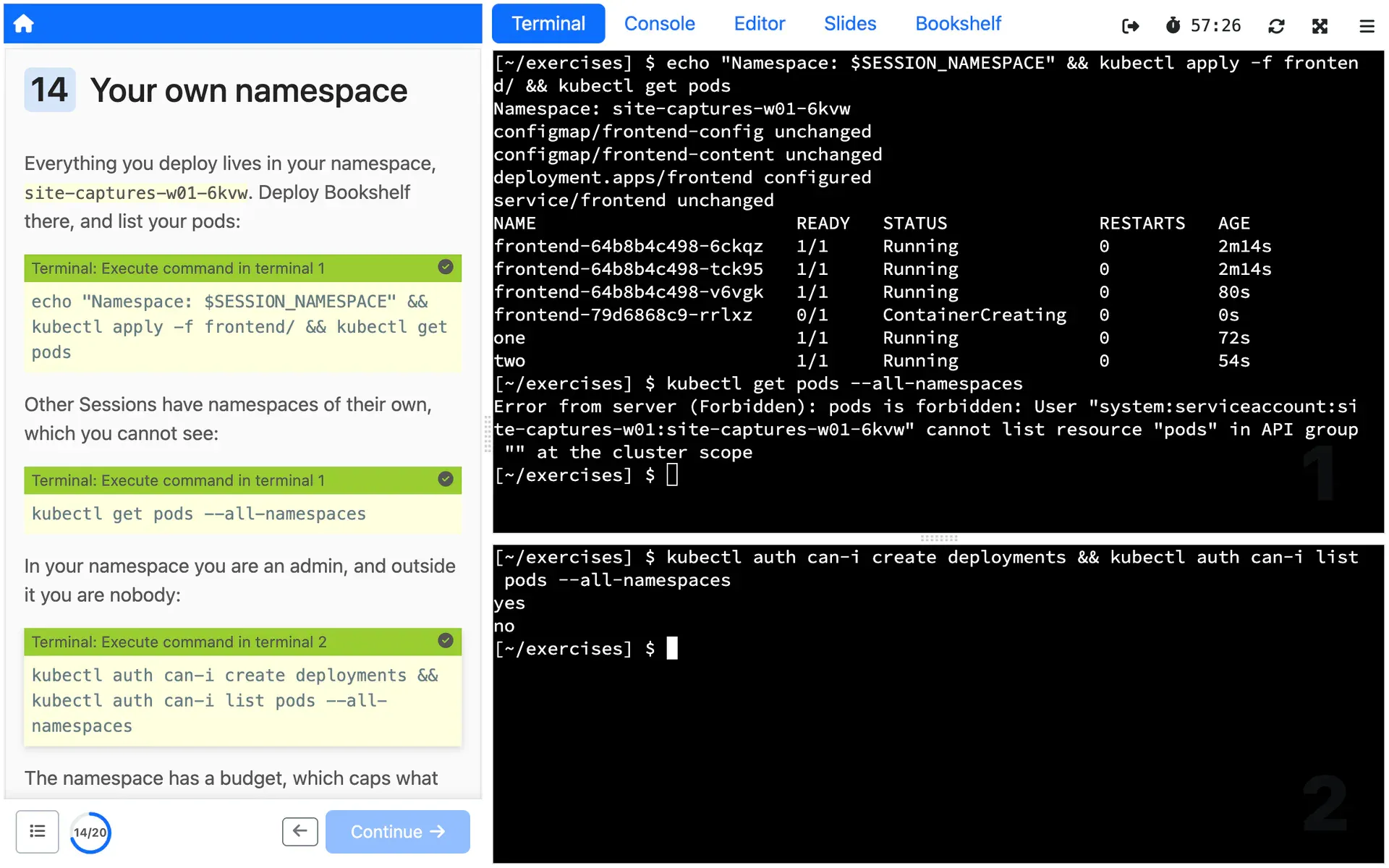
A namespace for each Session
Each Session gets a Kubernetes namespace of its own, with admin access to it by default, or edit or view when the workshop needs less. A workshop can add more namespaces per Session when it needs them.
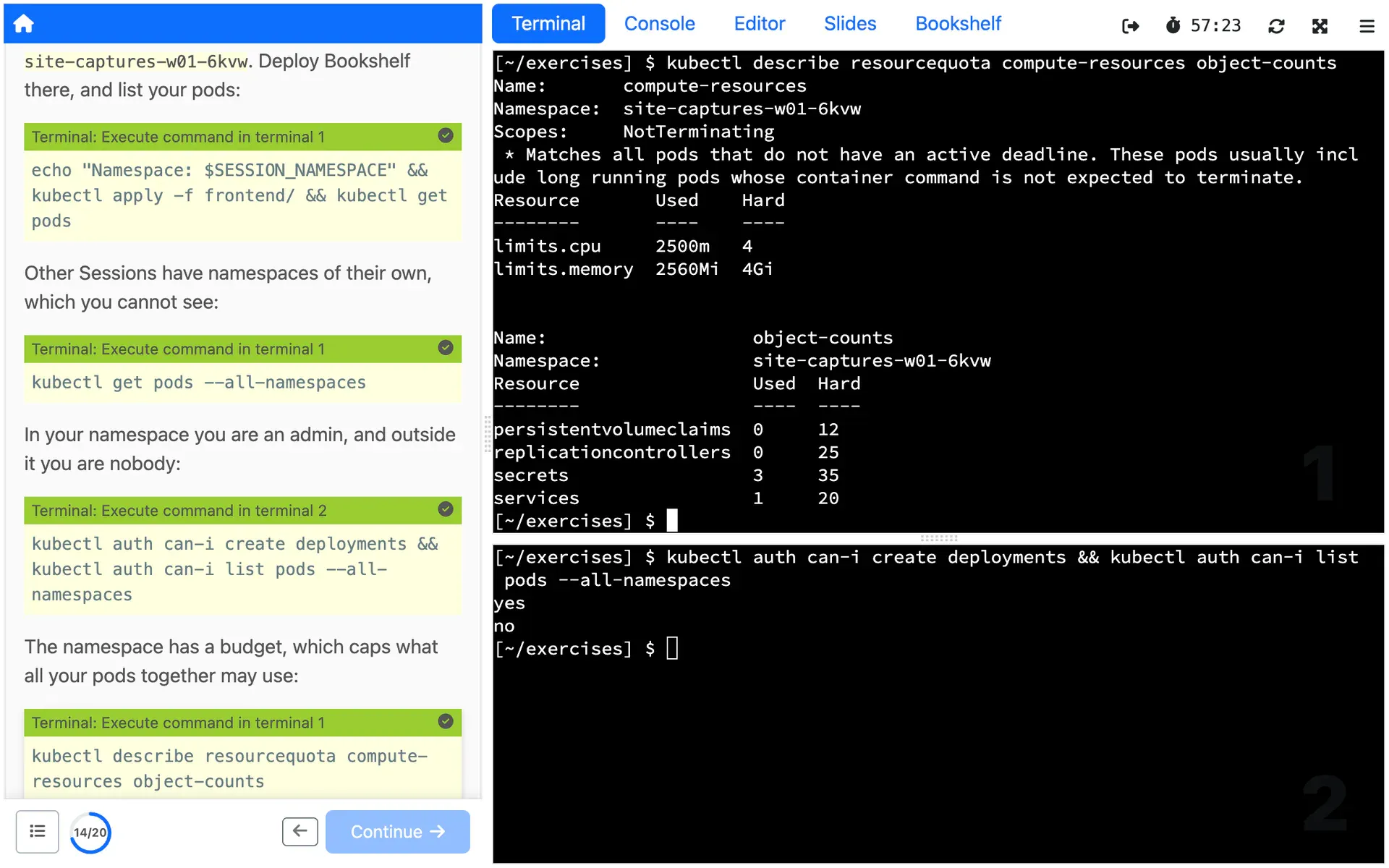
Quotas sized to the workshop
Pick a budget, from small, at 1 CPU and 1 GiB of memory, to xxx-large, at 8 CPUs and 16 GiB, and each Session's namespace gets the matching quota and container defaults. Or choose custom and write your own.
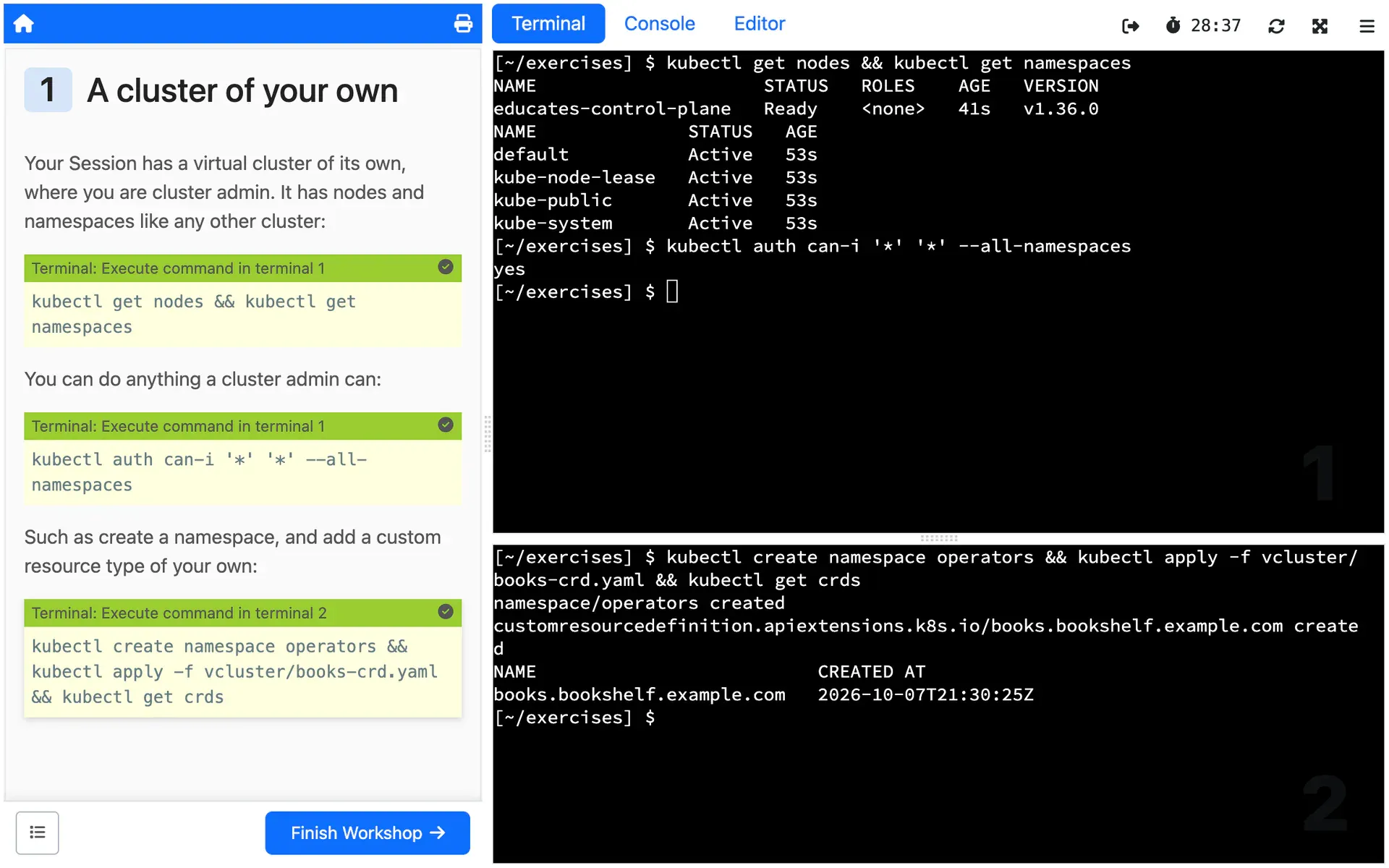
Cluster admin in a virtual cluster
Turn on a virtual cluster, and each Session gets what looks like a cluster of its own, with cluster admin, to install operators and do what a namespace does not allow, without a real cluster for each person.
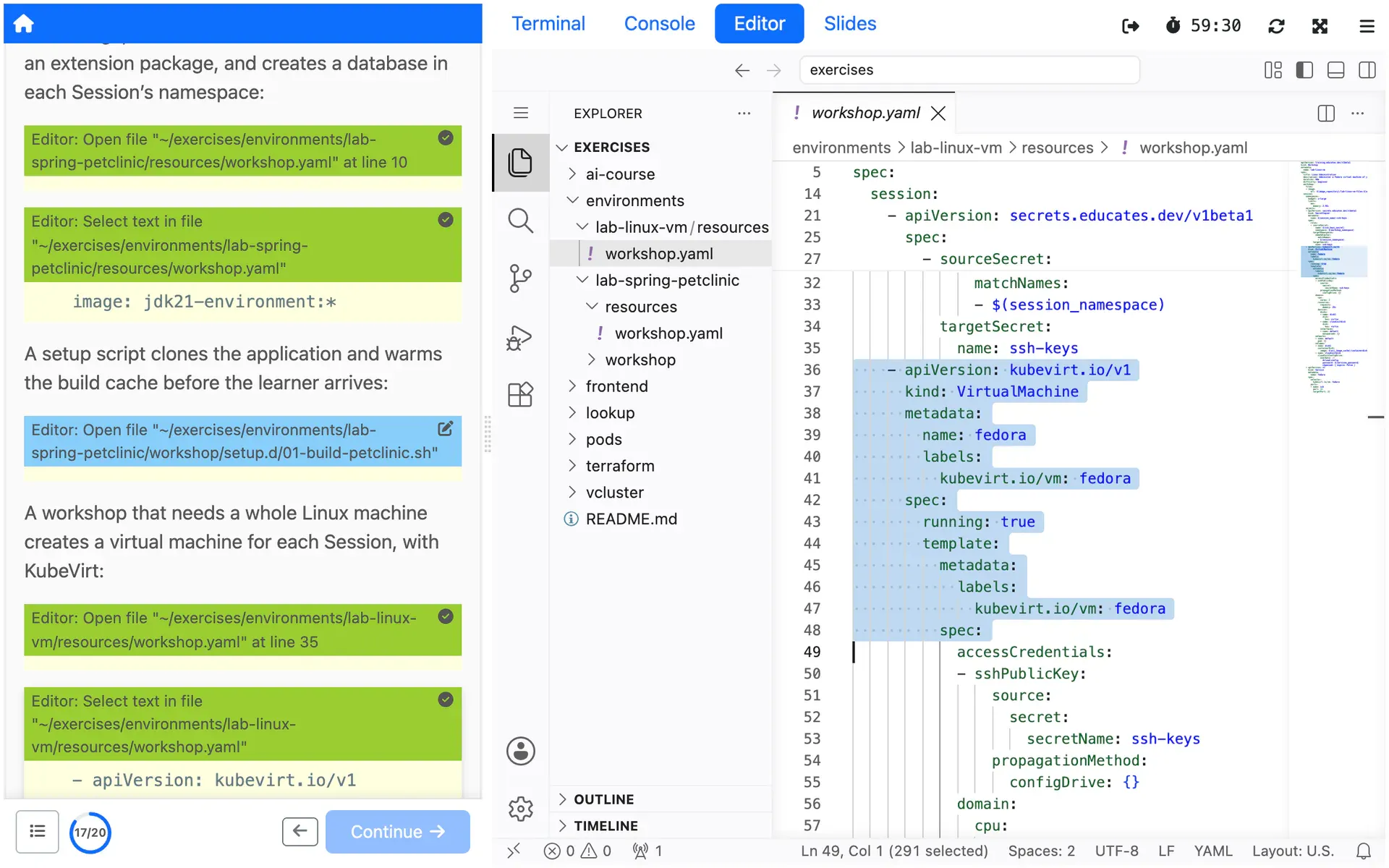
A virtual machine when a container is not enough
Create a VM on the cluster's nodes with KubeVirt, or a remote one through an operator such as Crossplane, alone or beside a namespace, for a complete Linux environment with administrator access.
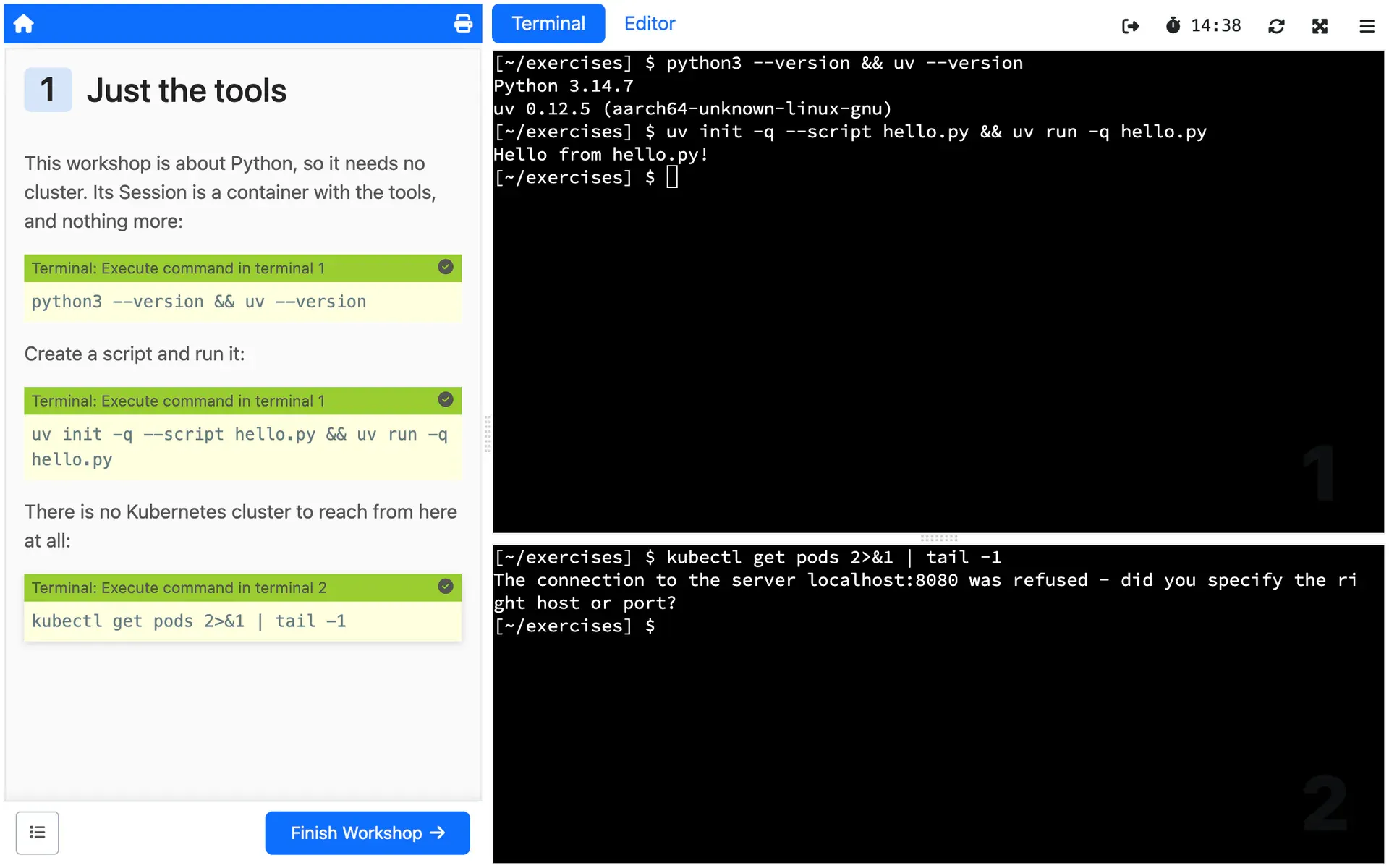
No Kubernetes at all
For a workshop about a programming language or a command line tool, block access to the cluster, and the Session is its container and nothing more.
How you use it
A namespace for each Session is the default, with no quota. A resource budget in the workshop definition gives it one:
spec: session: namespaces: budget: smallAccess to the namespace is admin unless role, beside the budget, sets
edit or view.
For cluster admin, the workshop turns on a virtual cluster instead:
spec: session: applications: vcluster: enabled: trueThe Session's kubeconfig then points at the virtual cluster, where the
person working in it is cluster admin, with no access to the cluster
underneath. The budget, if any, applies to the virtual cluster as a whole.
A virtual machine is a KubeVirt VirtualMachine among the resources the
workshop creates for each Session, which the
docs show in full.
Limits
What it does not do, and what it needs from you, so you can judge it before you build on it.
No quota until you set one
A Session's namespace has no limits or quotas by default, so one Session can take as much of the cluster as it wants. Set a budget on any workshop that people you do not know will run.
What the docs say: No quota until you set one (external site)
A namespace is not a cluster
In a namespace, nobody can create namespaces or do what a cluster admin does, and containers run as a non-root user unless the workshop selects the baseline policy. Many images from Docker Hub expect root.
What the docs say: A namespace is not a cluster (external site)
A virtual cluster is not a real one
In the docs' own words, a virtual cluster "doesn't allow you to do everything you could do with a Kubernetes cluster". Its control plane runs outside the Session's budget and reserves memory of its own, 1 GiB for its syncer by default.
What the docs say: A virtual cluster is not a real one (external site)
KubeVirt is yours to install
Educates does not install KubeVirt or Crossplane. A Session with a virtual machine needs the operator running in the cluster first, and the docs show a VM only as an example of what a Session can create.
What the docs say: KubeVirt is yours to install (external site)
Isolation needs Kyverno, and a cluster of its own
RBAC and quotas limit what people create, not what their containers may do. Educates enforces that through Kyverno policies, and without Kyverno the docs say never to let untrusted users in. They also recommend a cluster used only for Educates and its workshops.
What the docs say: Isolation needs Kyverno, and a cluster of its own (external site)
Where it is used
Use cases that rely on it
- Hands-on events
Every Attendee in a working environment before you start talking, and nothing to clean up after.
- Build your own Demo Platform
Give your field team one-click Demos, each in its own fresh environment.
- Team training
Train your engineers on real environments shaped like production, without touching production.
Deploy it from the Hub
The Hub is a catalog of workshops you deploy on your own Educates, each with one command. These ones show this Feature at work.
Read more
Try it yourself, or talk to us
Get started runs Educates on your laptop with a first workshop in a few commands. Get help is where you ask the community, and where you can hire the people who build Educates.