 Educates
Examiner checksAuthoring
Check the work at each step, with instant feedback
An examiner check is a clickable action that runs a test you write and shows whether it passed. Put one after a step, and the person taking the workshop knows at once whether the step worked, before the next step builds on it. It checks the work; it does not grade it.
What you can do with it
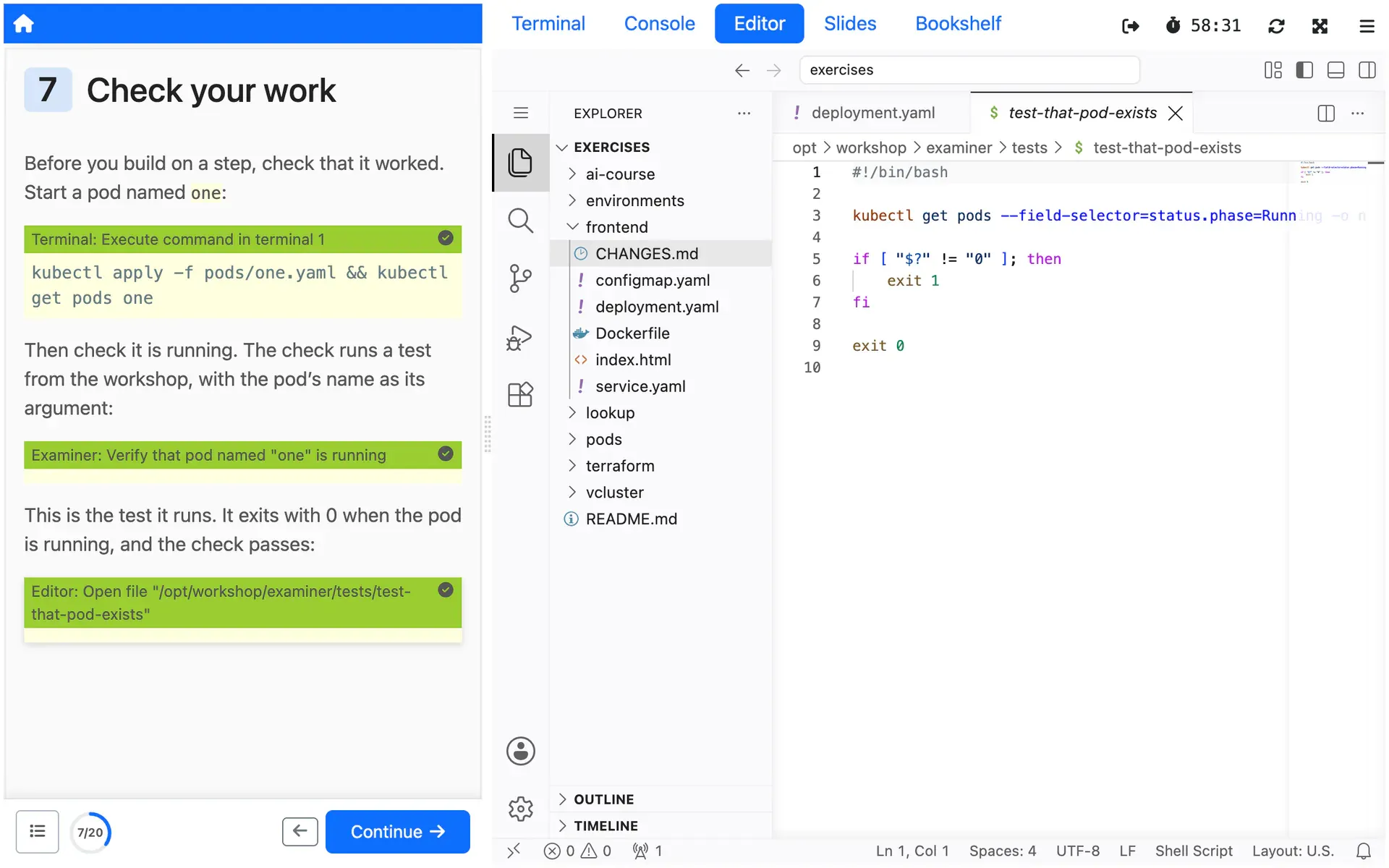
Check a step with a click
A check runs a program from the workshop's examiner tests directory, with the arguments you give it. An exit status of 0 passes and anything else fails, and the action on the page shows which.
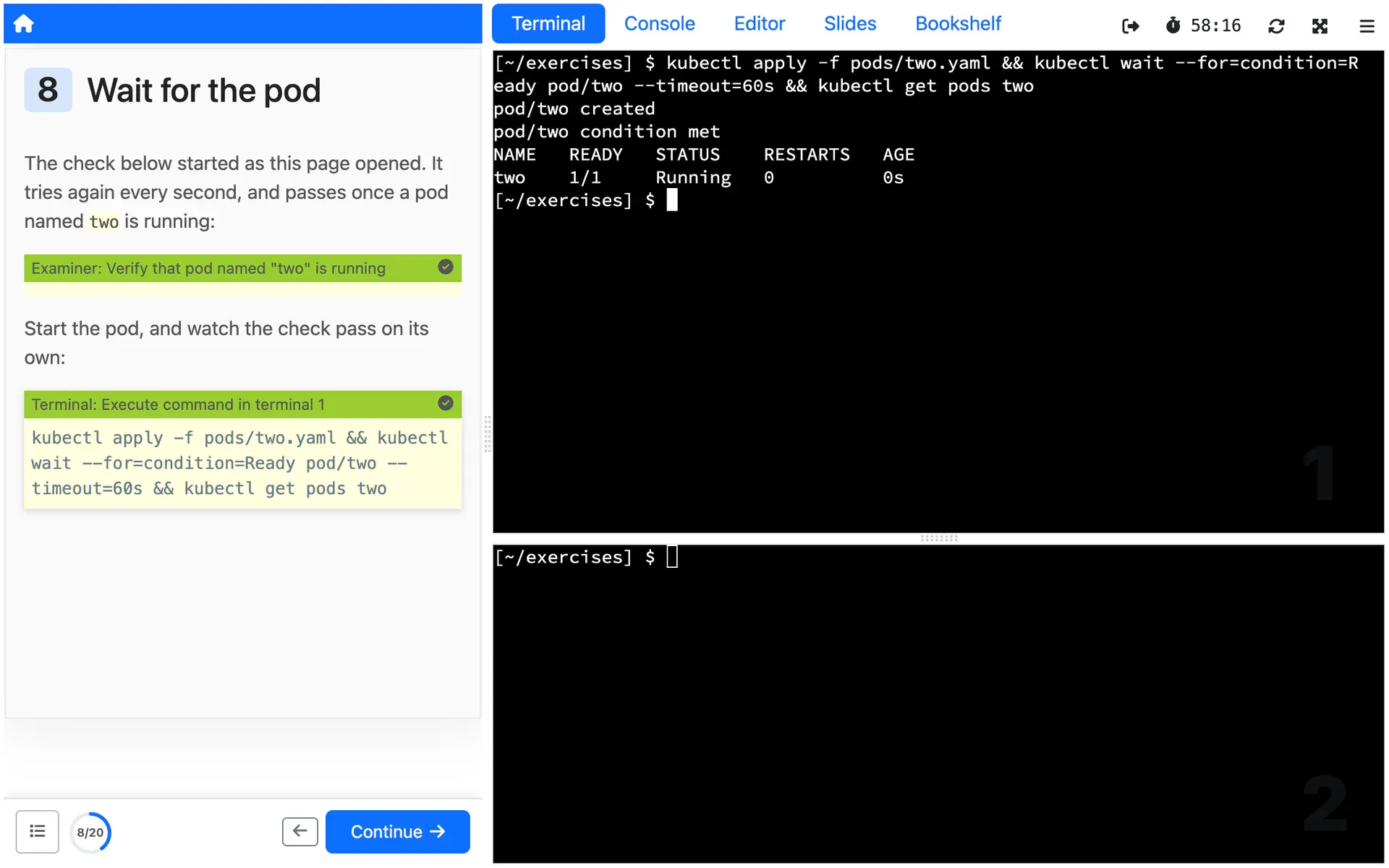
Check without a click
Start a check as soon as the page loads, and retry it until it passes, for as long as the page is open. The page notices the step is done without anyone asking.
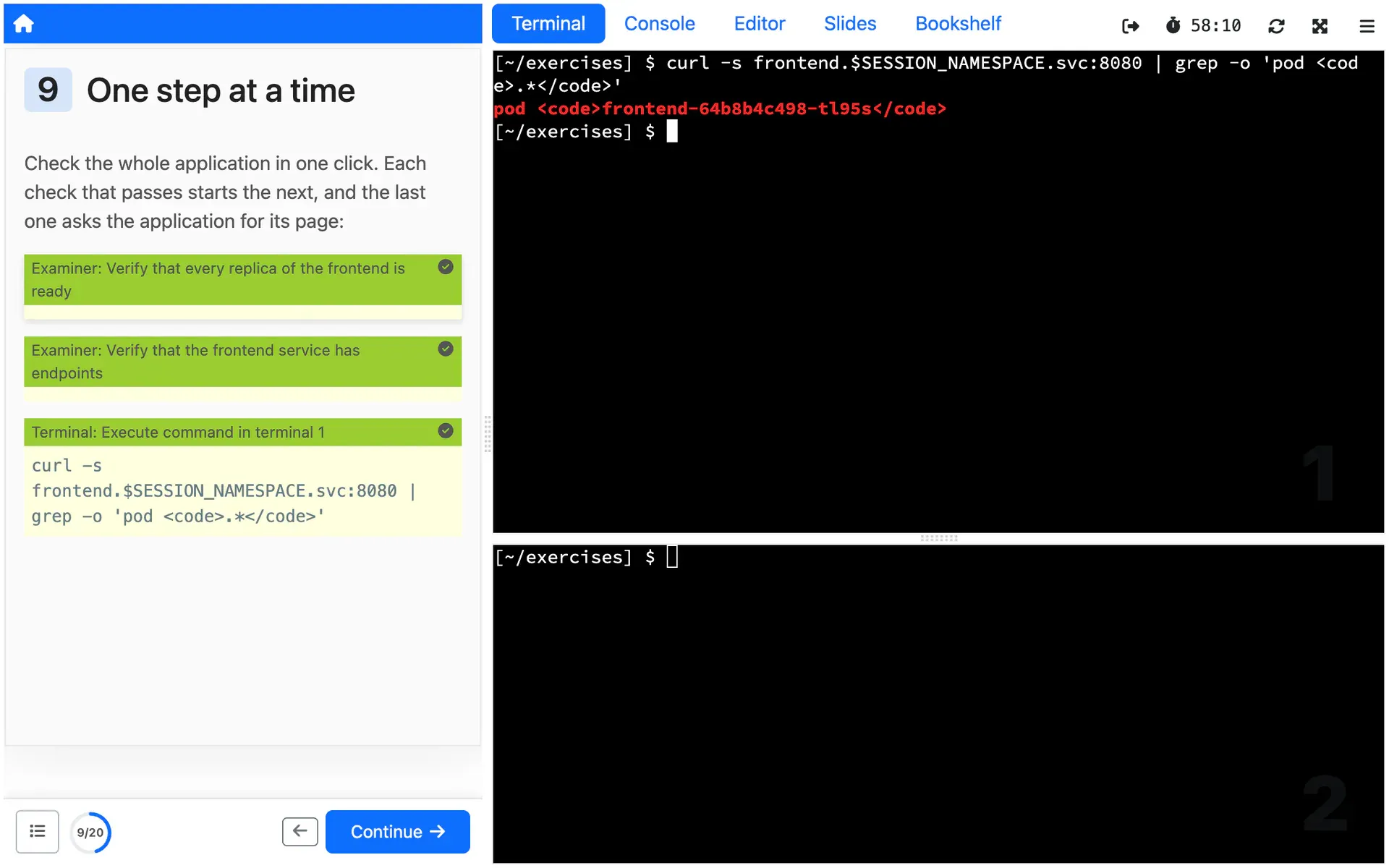
Move on when it passes
When a check passes, it can trigger the next action on the page, such as another check or a command, so a page can walk through a task one verified step at a time.
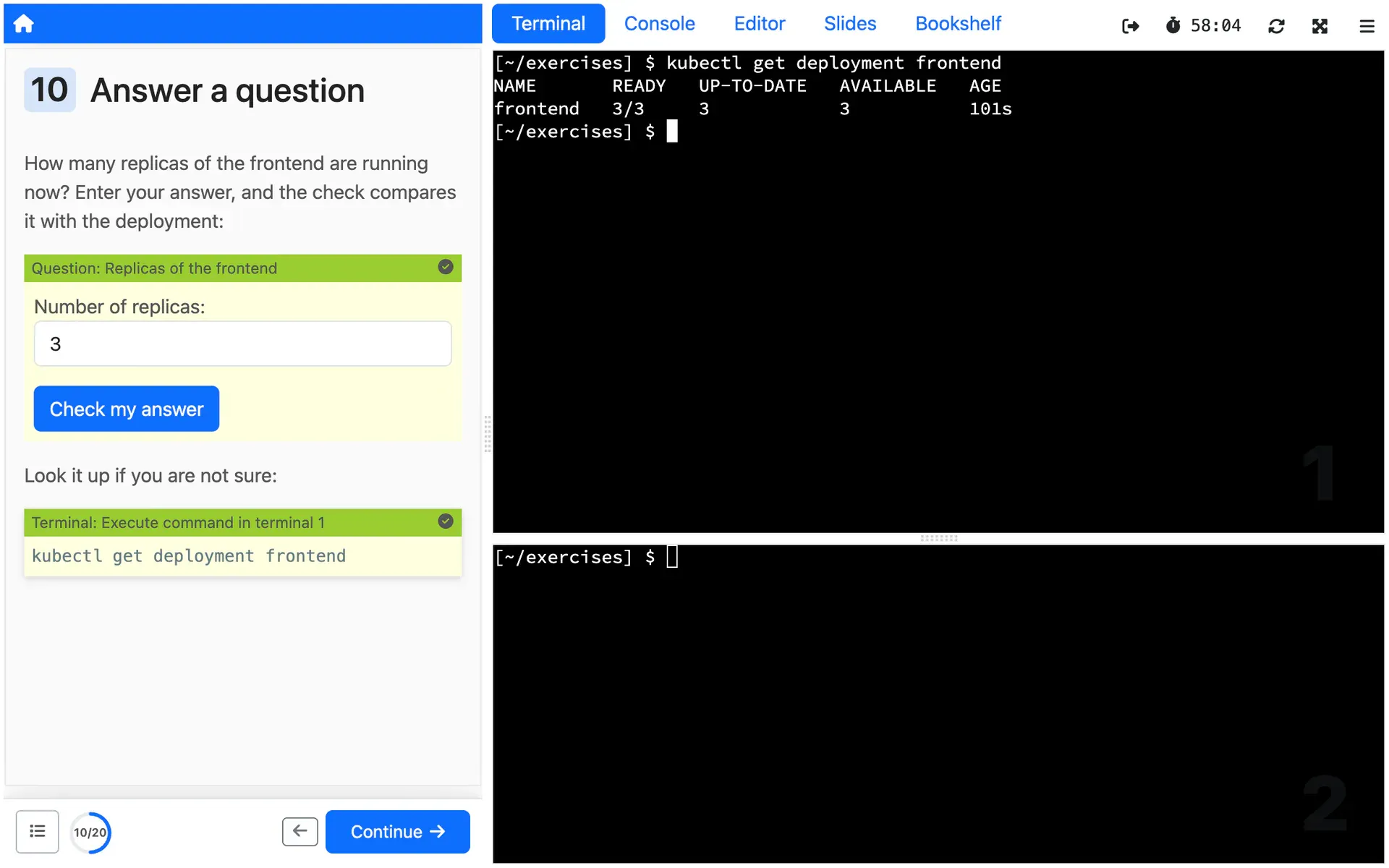
Ask for an answer
A check can show a form, and the values entered reach the test as JSON. The docs suggest it for a quiz, or for collecting values that later steps use.
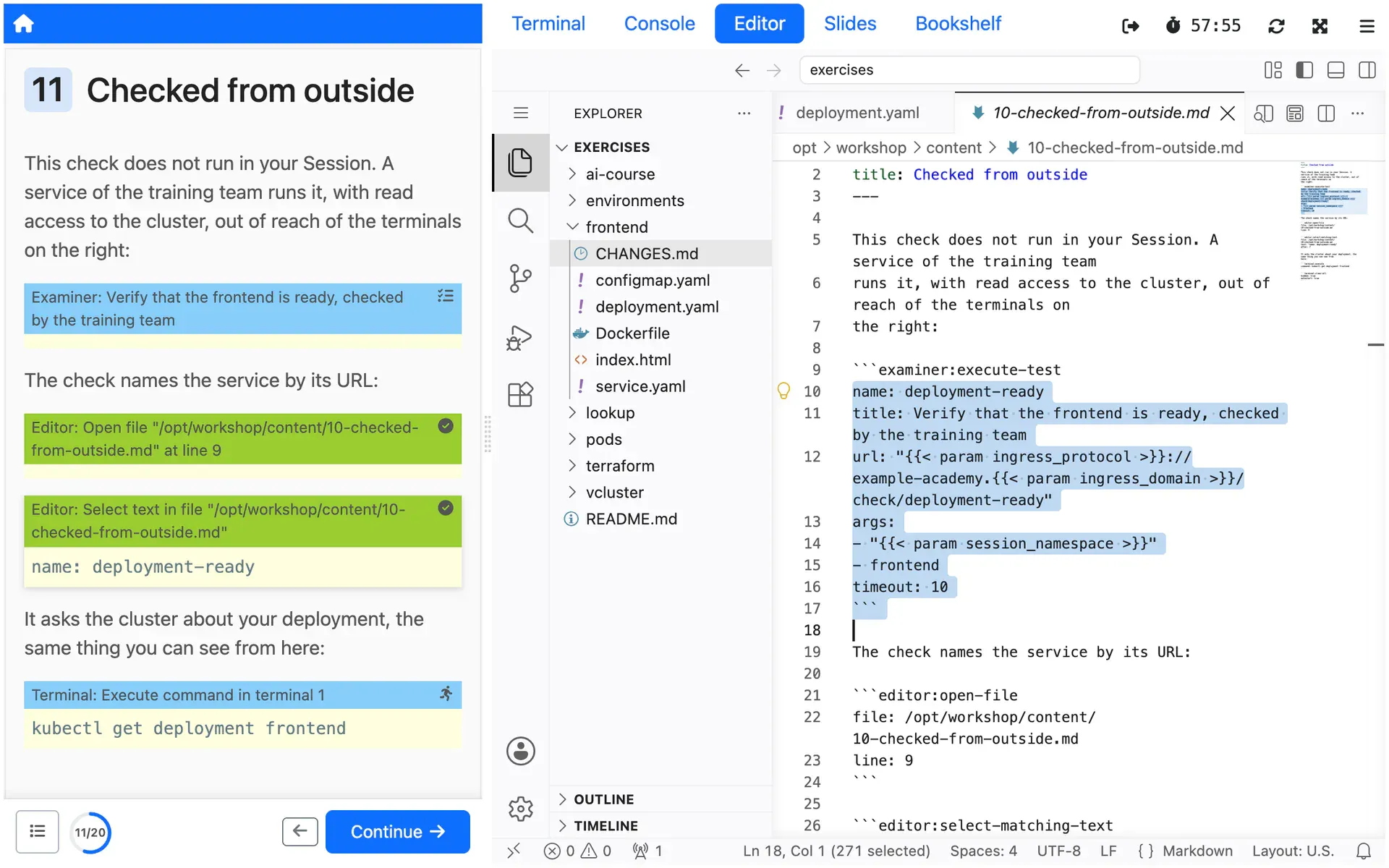
Check from outside the Session
Give a check a URL, and a separate service runs it instead of the workshop container, out of reach of the person whose work it checks.
How you use it
The examiner is off until the workshop definition turns it on:
spec: session: applications: examiner: enabled: trueA test is a program in the workshop's workshop/examiner/tests directory
that exits with 0 when the work is right. This one, from the docs, passes when
a pod with the name it is given is running:
#!/bin/bash
kubectl get pods --field-selector=status.phase=Running -o name | egrep -e "^pod/$1$"
if [ "$?" != "0" ]; then    exit 1fi
exit 0
In the instructions, an examiner:execute-test action runs the test. This one
starts when the page loads, and tries again every second until the pod is
running:
```examiner:execute-testname: test-that-pod-existstitle: Verify that pod named "one" existsargs:- onetimeout: 5retries: .INFdelay: 1autostart: true```The examiner docs cover forms, checks run by a separate service, and every other field.
Limits
What it does not do, and what it needs from you, so you can judge it before you build on it.
Pass or fail, and nothing kept
A check shows pass or fail on the page, and that is all. Educates keeps no score and no record of results, and issues no certificate. If you need results, collecting them is yours to build, for example in the service a check can call.
Fifteen seconds by default
A test that runs past its timeout, 15 seconds unless you set another, is killed and counts as a failure. The kill cannot be turned off, so a test should check and return, not wait.
What the docs say: Fifteen seconds by default (external site)
Checks run where people can reach them
By default a test runs in the workshop container, which the person taking the workshop controls. For checks they should not be able to tamper with, call a separate service instead, on a hostname under the same parent domain as Educates' ingress domain.
What the docs say: Checks run where people can reach them (external site)
Forms are simple
A check's form is drawn by jsonform, without file inputs or the parts of jsonform that need JavaScript. A check that asks for input should not start on its own when the page loads, or nobody gets the chance to answer.
Where it is used
Use cases that rely on it
- Hands-on events
Every Attendee in a working environment before you start talking, and nothing to clean up after.
Deploy it from the Hub
The Hub is a catalog of workshops you deploy on your own Educates, each with one command. These ones show this Feature at work.
Read more
Try it yourself, or talk to us
Get started runs Educates on your laptop with a first workshop in a few commands. Get help is where you ask the community, and where you can hire the people who build Educates.